Online Ruler

Stop guessing the size of objects on your screen! Online Ruler is a professional, privacy-focused tool designed to turn your screen into a real-world measuring reference.

With our unique physical calibration technology, you can achieve 1:1 accuracy regardless of your monitor's resolution or scaling settings.
Learn More
Online Ruler

Key Features

PHYSICAL CALIBRATION

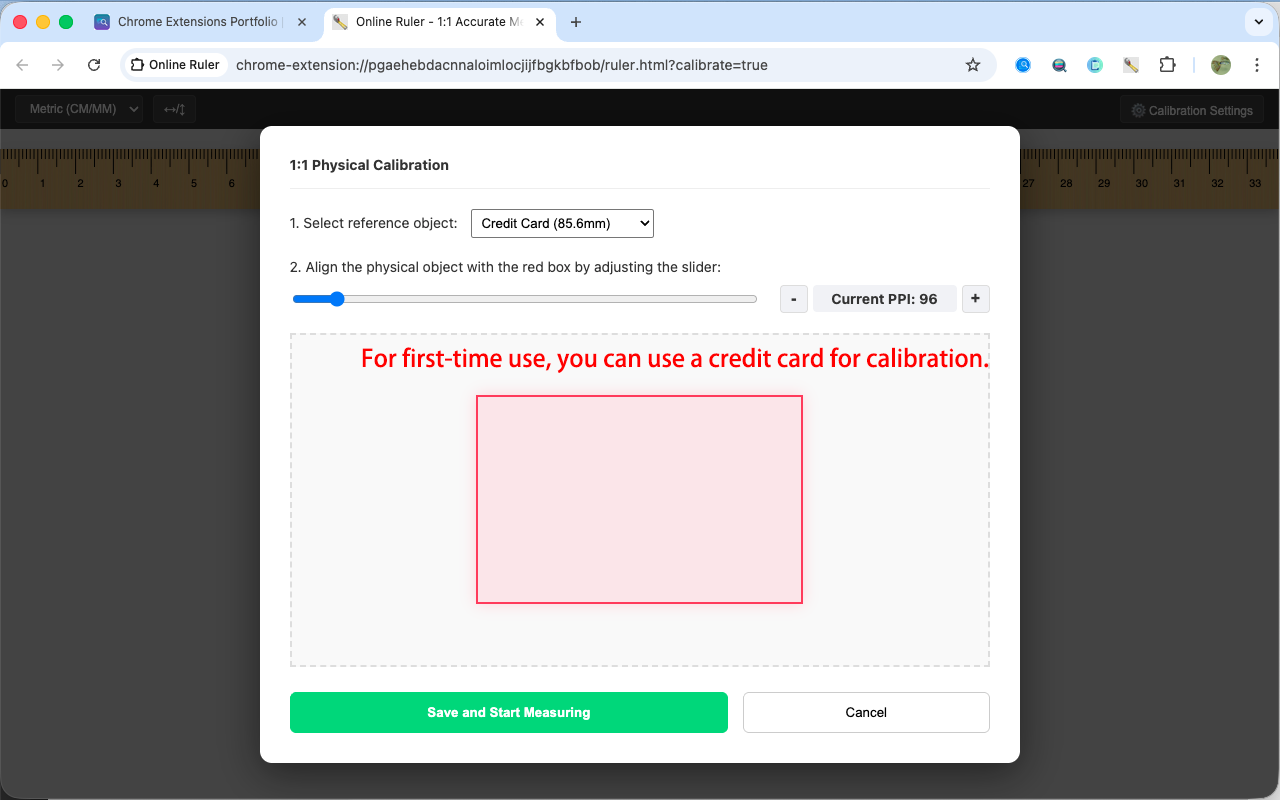
Align with standard objects like credit cards or A4 paper to calculate your screen's exact PPI.

📏

DUAL MODES

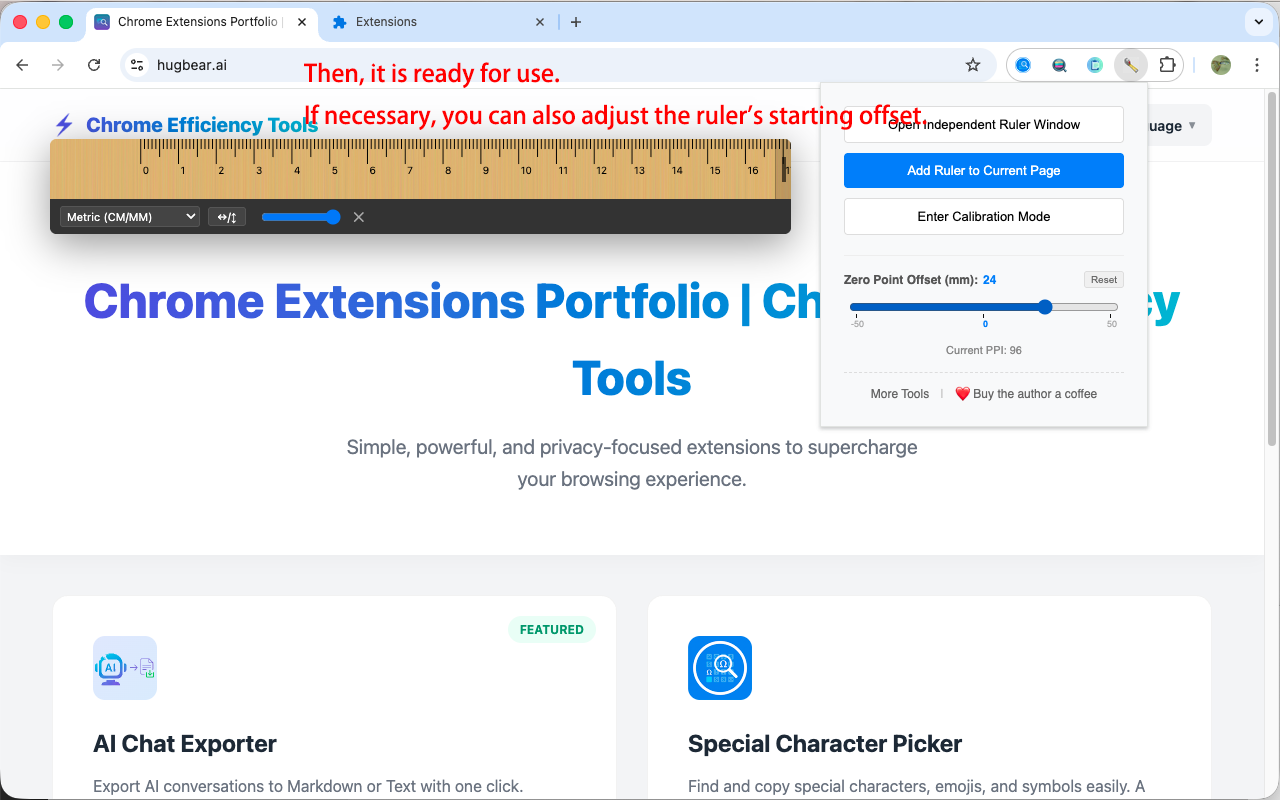
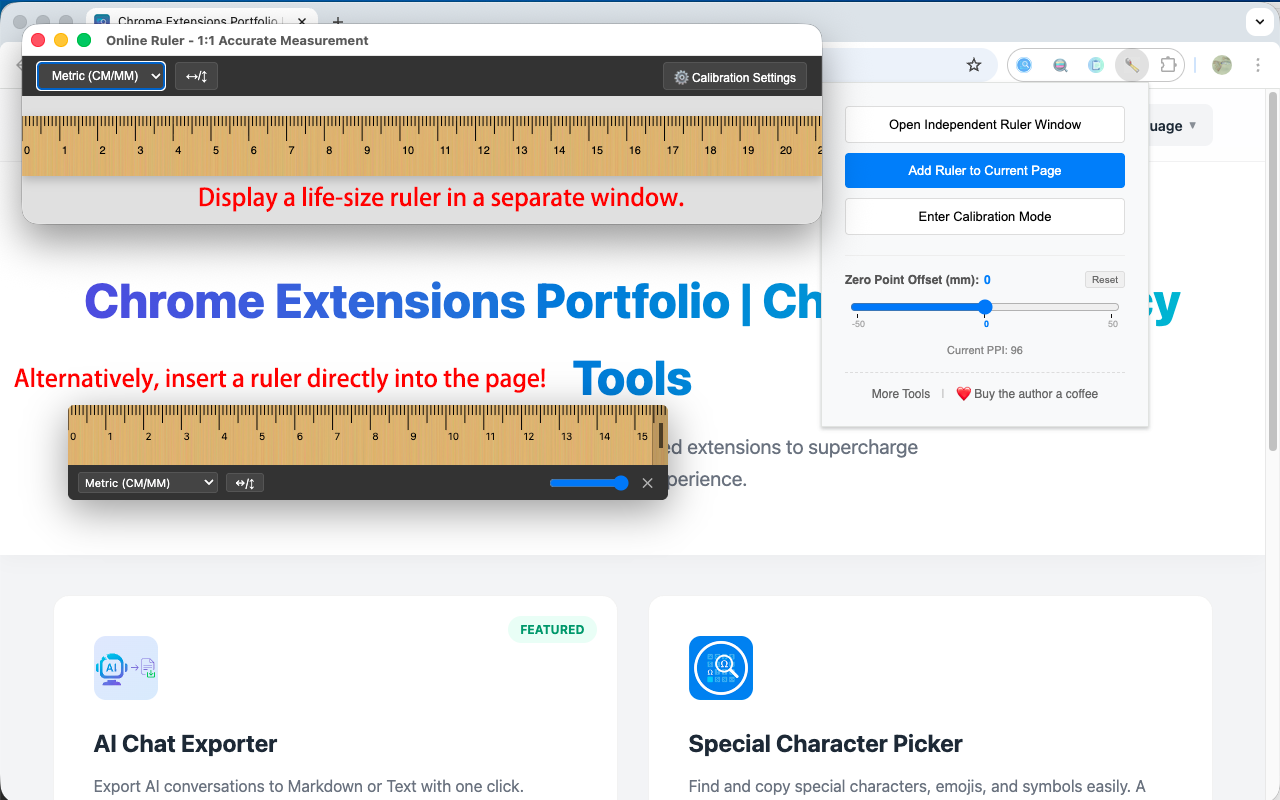
Use as a clean, always-on-top independent window or as a transparent overlay on any webpage.

🔄

ZERO OFFSET

Customizable starting point (mm) and one-click reset to simulate real-world ruler edges.

🪵

WOOD TEXTURE

Realistic wood grain design for better readability and a professional look.

📐

UNIVERSAL SCALES

Support for Metric (CM, MM) and Imperial (Inch, down to 1/16) units.

🖱️

FULL-EDGE RESIZE

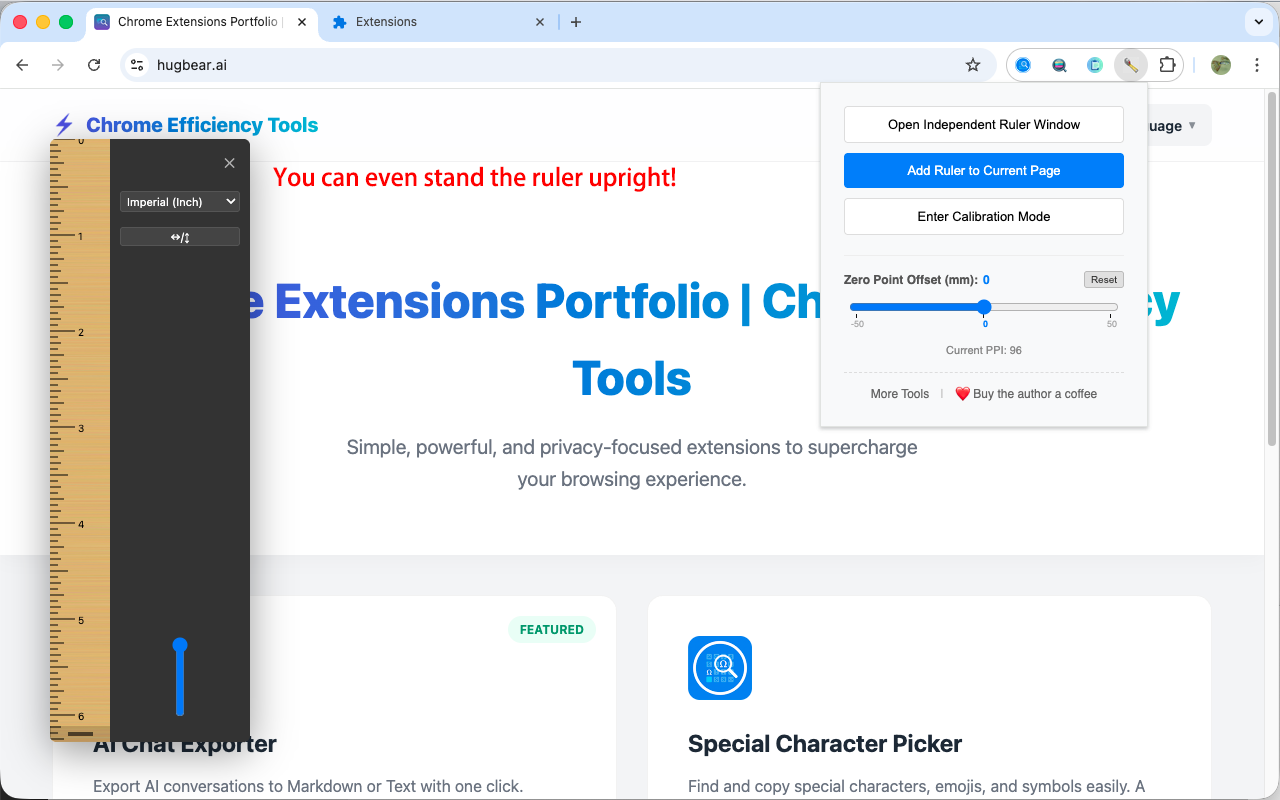
Drag any edge of the ruler to resize effortlessly without hunting for small handles.

🔒

PRIVACY FIRST

All calibration data is stored locally in your browser. No data is ever uploaded.

🌍

MULTILINGUAL

Available in English, 中文, 日本語, 한국어, Deutsch, Français, and Español.

Guides & Tips

See it in Action

How to use Online Ruler - Step 1
How to use Online Ruler - Step 2
How to use Online Ruler - Step 3
How to use Online Ruler - Step 4

How to Use

1

First Time Use

Click the extension icon and enter "Calibration Mode".

2

Align & Calibrate

Select a reference (e.g., Credit Card) and adjust until the red box matches the physical object.

3

Start Measuring

Open an independent window or add a ruler to the current page to start measuring.

4

Adjust Zero Point

Use the "Zero Offset" slider in the popup if you need to measure from a specific edge.

FAQ

Getting Started

How do I open Online Ruler after installation?

Click the puzzle icon 🧩 in the top right of your browser, find "Online Ruler", and click the pin icon next to it to fix it to the toolbar. Then simply click the icon to open the ruler anytime.

Can this extension really turn my screen into a real ruler? Is it as accurate as a physical one?

Yes. Since different screens have different resolutions, normal images aren't accurate. This extension uses "Physical Calibration"—by aligning it once with a credit card or A4 paper, it remembers your screen's actual size for 1:1 precision.

I don't have a credit card, can I still calibrate?

Yes. The system supports multiple reference objects, such as A4 paper or coins. We will add more standards like A5 paper or common phone screen sizes in the future.

Operation

What's the difference between "Independent Window" and "Page Overlay" modes?

The "Independent Window" pops up a clean, resizable ruler window that you can drag anywhere and keep on top of other apps. "Page Overlay" injects the ruler directly onto your current webpage with transparency support, so it won't block your reading.

What if the ruler's tip blocks the object I'm measuring?

You can use the "Zero Offset" feature. it simulates the protective end of a physical ruler, allowing you to set a starting gap (in mm) and reset it to zero with one click.

How do I extend or shorten the ruler?

It's very simple. In overlay mode, you don't need to look for tiny corners; just drag anywhere along the ruler's edges to adjust its length.

Settings & Data

Will my calibration data be lost if I change the webpage?

No. Your calibration data (like PPI), unit preferences, and offsets are synced and saved in real-time. Settings apply instantly whether changed in the popup or across different pages.

Does it support inches? I want to buy clothes/parts from abroad.

Yes. This extension provides both Metric (CM, MM) and Imperial (Inch) scales, with high-precision imperial units divisible down to 1/16 inch.

Security & Privacy

Does it read my browsing history or personal privacy?

No. All calibration data and preferences are saved locally in your browser. No data is ever uploaded to servers.

Is the wood texture real? Will it make the browser lag?

It uses SVG technology to dynamically generate a realistic wood visual effect. It's beautiful, clear, and very lightweight, so it won't slow down your browser at all.

Update Log

Open Source

This extension is open source and the code is available on GitHub. Contributions are welcome!

View Source Code on GitHub

Build your toolkit

Check out my other productivity tools for Chrome.

🚀
Explore More Extensions