Stop guessing the size and angles of objects on your screen! Online Ruler is a professional tool designed to turn your screen into a real-world measuring reference.
🎉 v2.0.0 Major Update: The new All-in-One Geometric Protractor marks our transition from a single measuring tool to a comprehensive geometric toolbox with 360° rotation and synced calibration.
v2.0.0 Major Update: Add protractors to any webpage. Supports 360° rotation, synced physical calibration, and multiple color styles (Blue, Green, Orange, etc.).
Add multiple rulers and protractors to the same page to meet complex comparative measurement and geometric positioning needs.
Choose from Wood, Plastic, and Metal. Plastic supports multiple color customizations and semi-transparent schemes for protractors.
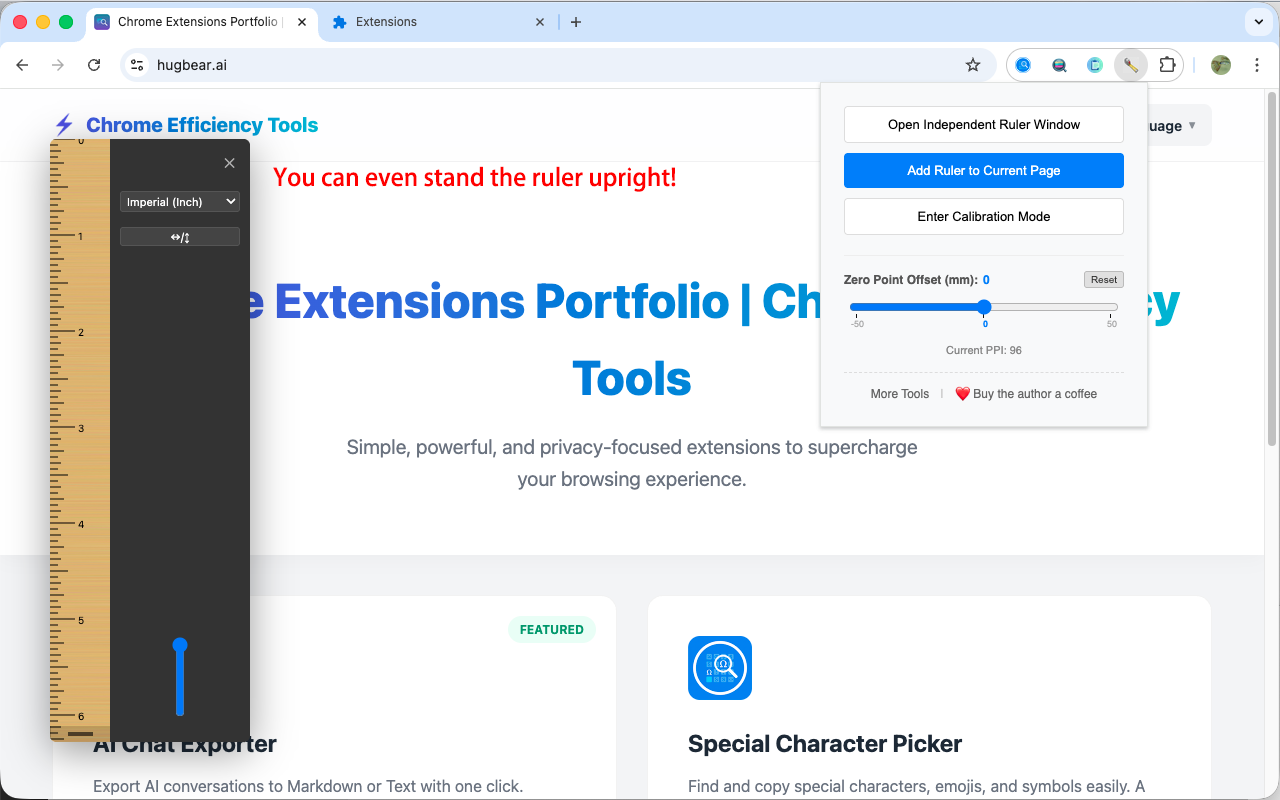
Rotate rulers and protractors to any angle with a smooth handle and precision snapping for non-orthogonal measurements.
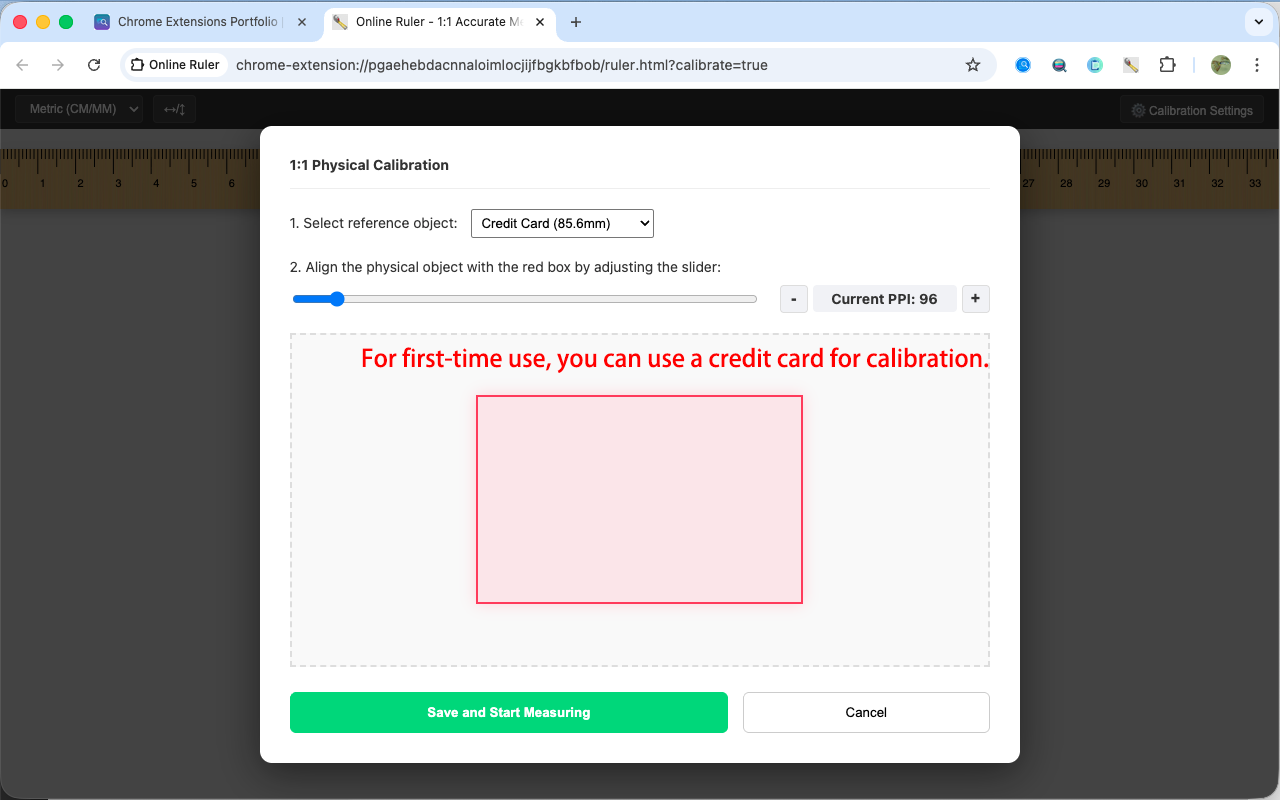
Align with standard objects like credit cards or A4 paper to calculate your screen's exact PPI for 1:1 accuracy.
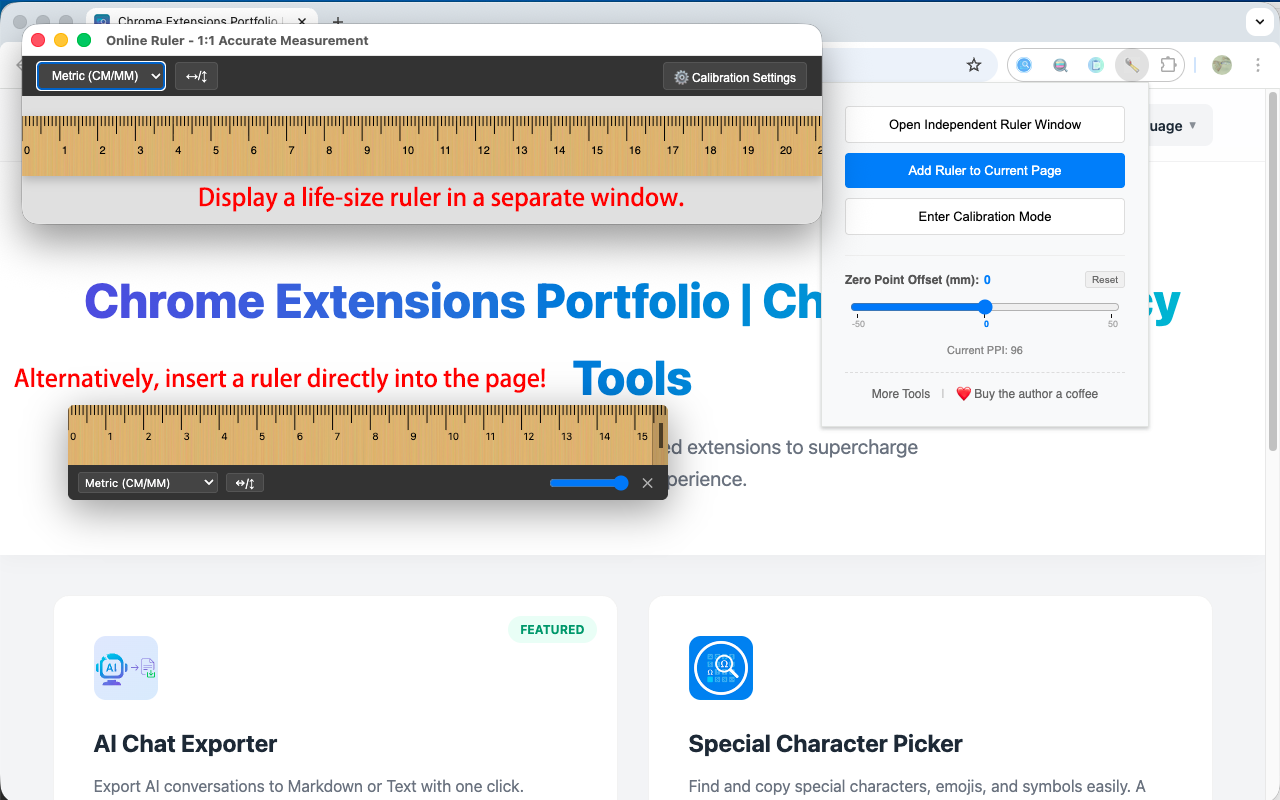
Use as a clean, always-on-top independent window or as a transparent overlay injected directly into any webpage.
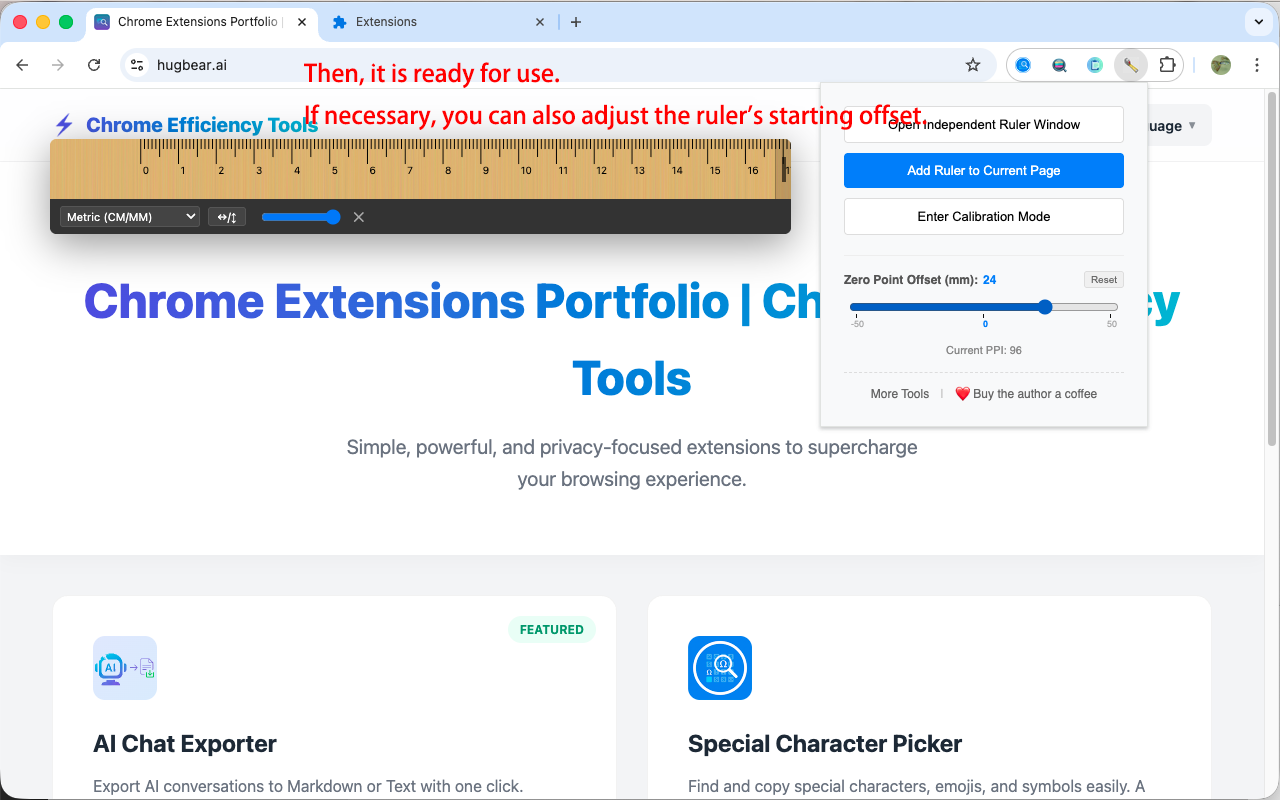
Customizable starting point (mm) and one-click reset to simulate real-world ruler edges and protective ends.
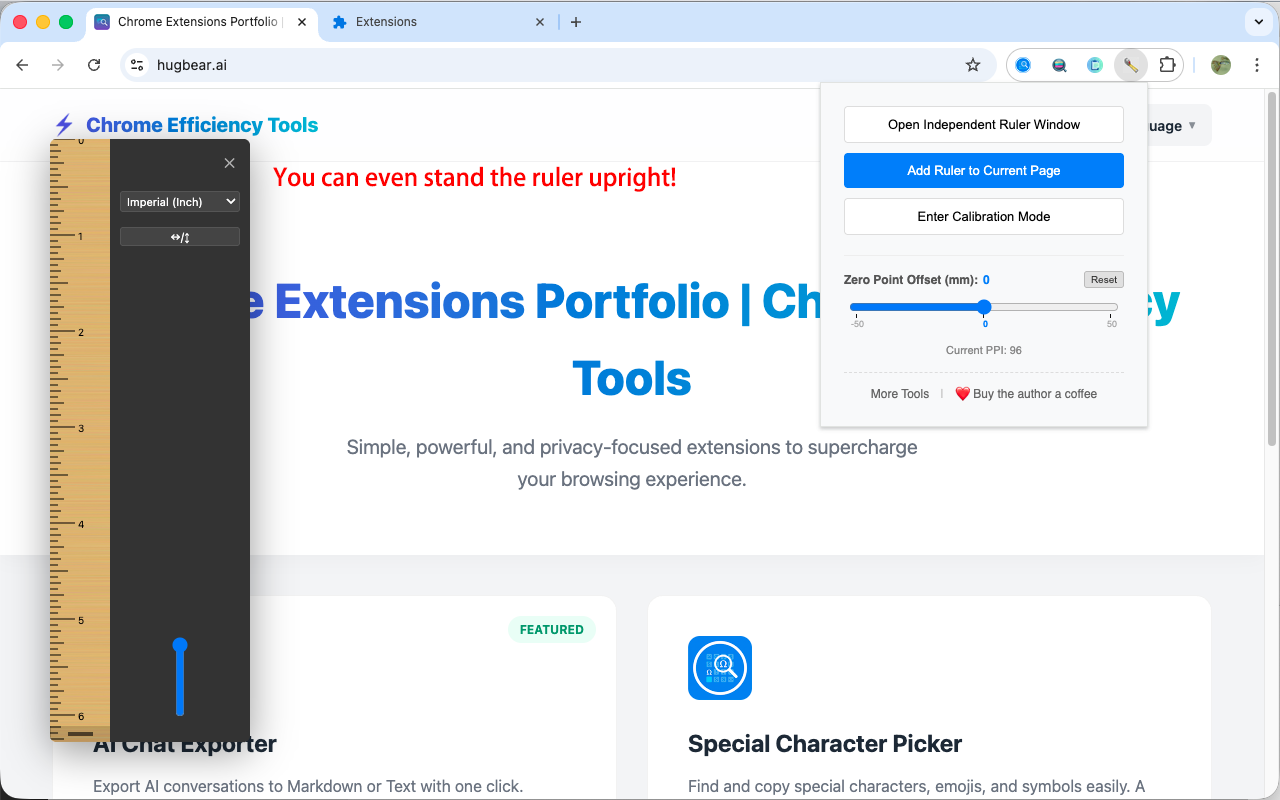
Support for Metric (CM, MM) and Imperial (Inch, down to 1/16) units with high-precision rendering.
Perfect for learning geometry! Use our magic rulers and protractors to measure lengths and angles for school projects and homework.
All calibration data and preferences are stored locally in your browser. No data is ever uploaded or tracked.
Click the extension icon and enter "Calibration Mode".
Select a reference (e.g., Credit Card) and adjust until the red box matches the physical object.
Click "Add Ruler" or "Add Protractor" to any page to start measuring.
Click the icons on the toolbar to quickly switch materials, colors, or adjust transparency.
Drag the main body to move, and drag the rotation handle at the end to adjust the angle.
Click the puzzle icon 🧩 in the top right of your browser, find "Online Ruler", and click the pin icon next to it to fix it to the toolbar. Then simply click the icon to open the ruler anytime.
Yes. Since different screens have different resolutions, normal images aren't accurate. This extension uses "Physical Calibration"—by aligning it once with a credit card or A4 paper, it remembers your screen's actual size for 1:1 precision.
Yes. The system supports multiple reference objects, such as A4 paper or coins. We will add more standards like A5 paper or common phone screen sizes in the future.
The "Independent Window" pops up a clean, resizable ruler window that you can drag anywhere and keep on top of other apps. "Page Overlay" injects the ruler directly onto your current webpage with transparency support, so it won't block your reading.
Yes! In version 2.0.0, we support multiple rulers and protractors at the same time. You can click "Add Ruler to Page" or "Add Protractor" multiple times, and each tool can be independently moved, rotated, resized, and customized (material/color) for comparative measurements and geometric positioning.
You can find material switching options in the toolbar at the end of the ruler or in the extension's Popup menu. We currently support Wood, Plastic, and Metal. When "Plastic" is selected, you can also switch between different color schemes.
You can use the "Zero Offset" feature. It simulates the protective end of a physical ruler, allowing you to set a starting gap (in mm) and reset it to zero with one click.
It's very simple. In overlay mode, you don't need to look for tiny corners; just drag anywhere along the ruler's edges to adjust its length.
Yes! Simply drag the rotation handle at the end of the ruler. It also supports precision snapping to 45°, 90° and 180° for quick adjustments.
Yes! In version 2.0.0, we've added the "Geometric Protractor" feature. You can insert a 1:1 accurate protractor by clicking "Add Protractor". It also supports 360° rotation, multiple color schemes, and physical calibration syncing based on your PPI data.
The all-in-one protractor supports PPI-based synchronous calibration, 360° arbitrary rotation, and multiple semi-transparent color schemes (Classic Blue, Tech Green, etc.), making it easy to use on any webpage background.
No. Your calibration data (like PPI), unit preferences, and offsets are synced and saved in real-time. Settings apply instantly whether changed in the popup or across different pages.
Yes. This extension provides both Metric (CM, MM) and Imperial (Inch) scales, with high-precision imperial units divisible down to 1/16 inch.
No. All calibration data and preferences are saved locally in your browser. No data is ever uploaded to servers.
All materials (Wood, Plastic, Metal) use SVG technology to dynamically generate realistic visual effects. They are beautiful, clear, and very lightweight, so they won't slow down your browser at all.
🎉 v2.0.0 MAJOR UPDATE: ALL-IN-ONE GEOMETRIC PROTRACTOR IS LIVE!
This update marks the transition from a single measuring tool to a comprehensive geometric toolbox:
✨ New Protractor Feature: You can now add protractors to any webpage in addition to rulers.
✨ 360° Arbitrary Rotation: Supports 360° rotation via a handle for precise measurement of slopes and angles.
✨ Multiple Color Styles: Offers various semi-transparent color schemes (Classic Blue, Tech Green, Vibrant Orange, etc.) for high visibility.
✨ Synced Physical Calibration: The protractor is rendered based on your PPI data, ensuring accurate real-world dimensions.
MULTI-RULER SUPPORT & RICH MATERIALS
This update brings more powerful multi-dimensional measurement capabilities and personalized visual choices:
✨ Multi-Ruler Support: Add multiple rulers to the same page to meet complex comparative measurement needs.
✨ New Plastic & Metal Materials:
- Plastic Material: Offers multiple fresh colors to make the interface more lively.
- Metal Material: Realistic brushed metal texture, professional and high-tech feel.
✨ Material Color Customization: Plastic material now supports multiple color schemes to adapt to different web backgrounds and personal preferences.
360° ARBITRARY ROTATION
Break free from the constraints of horizontal and vertical measurements. You can now rotate your ruler to any angle to match any object on your screen:
✨ Smooth Rotation Handle: Simply drag the new rotation handle at the end of the ruler (in Overlay Mode) to adjust its angle with fluid, real-time feedback.
✨ Precision Snapping: Effortlessly lock onto key angles like 45°, 90°, and 180° with built-in snapping logic and one-click presets for rapid switching.
✨ Visual Angle Badge: A dynamic tooltip displays your exact rotation degree in real-time, ensuring professional-grade measurement precision.
✨ Full Consistency: The realistic wood grain, scale markings, and interactive toolbar all maintain their structural integrity and clarity at any orientation.
Initial release.
This extension is open source and the code is available on GitHub. Contributions are welcome!
View Source Code on GitHub