Stop copy-pasting your AI conversations manually! AI Chat Exporter is a lightweight, privacy-focused tool designed to help you save and organize your AI chats with one click.
Whether you are a developer building a knowledge base, a student organizing study notes, or a writer collecting inspiration, this extension makes exporting effortless.
Works on ChatGPT (chatgpt.com), Claude (claude.ai), and Gemini (gemini.google.com).
The fastest way to move chats. Optimizes clipboard content for Notion, Obsidian, Word, Google Docs, and more.
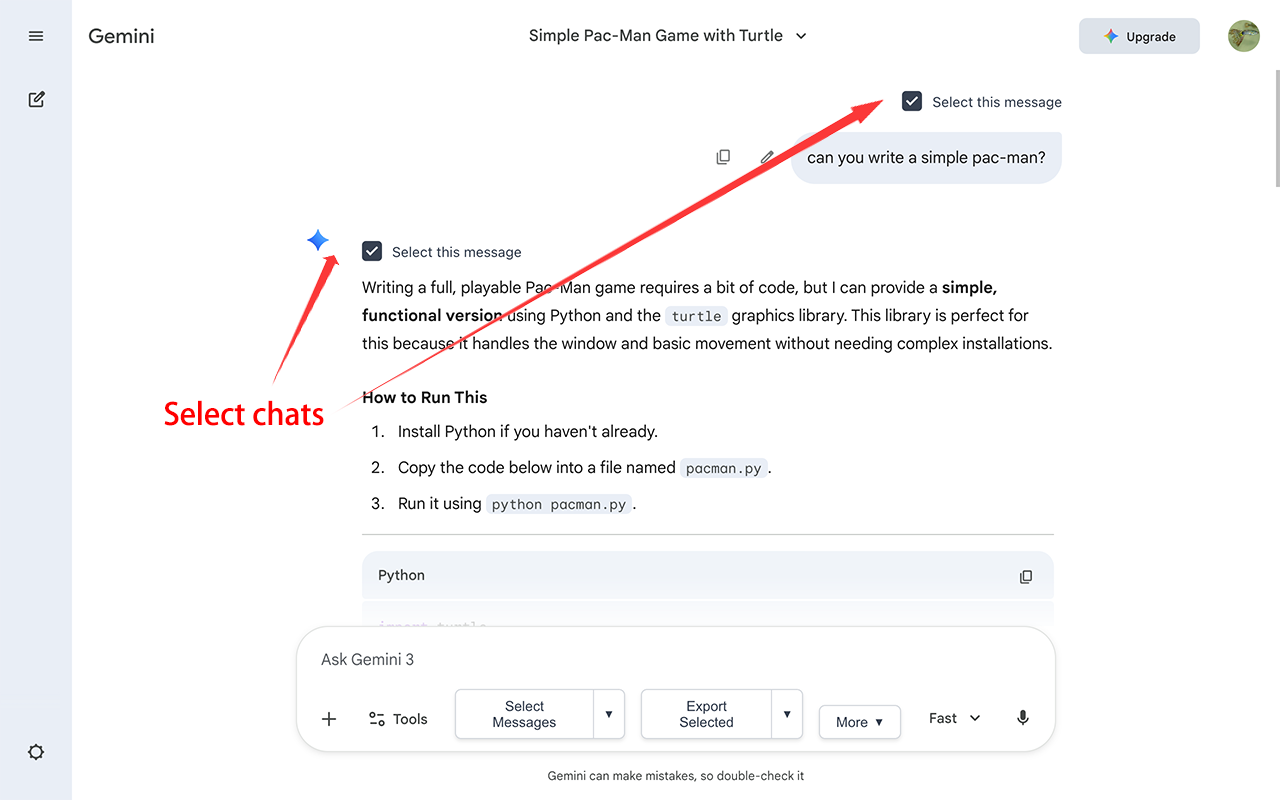
Toggle "Select Mode" to check only specific messages you want to save.
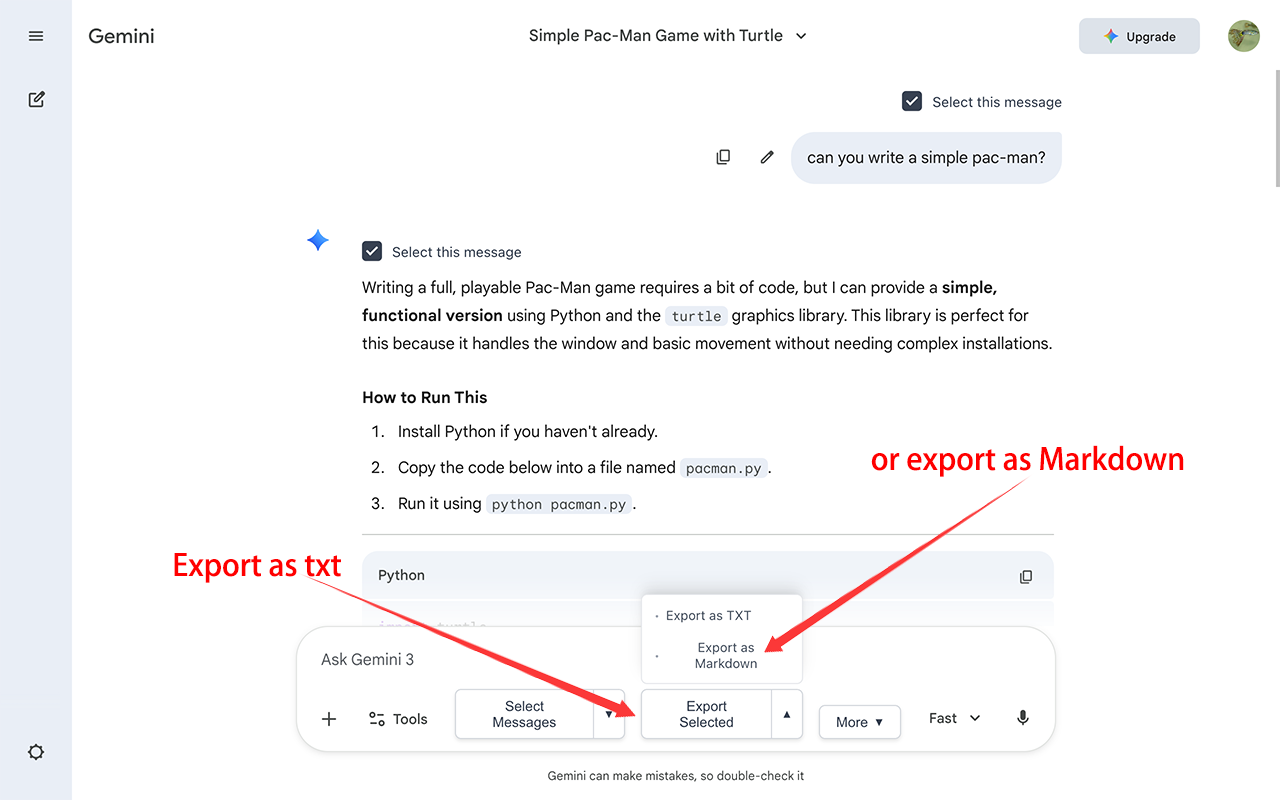
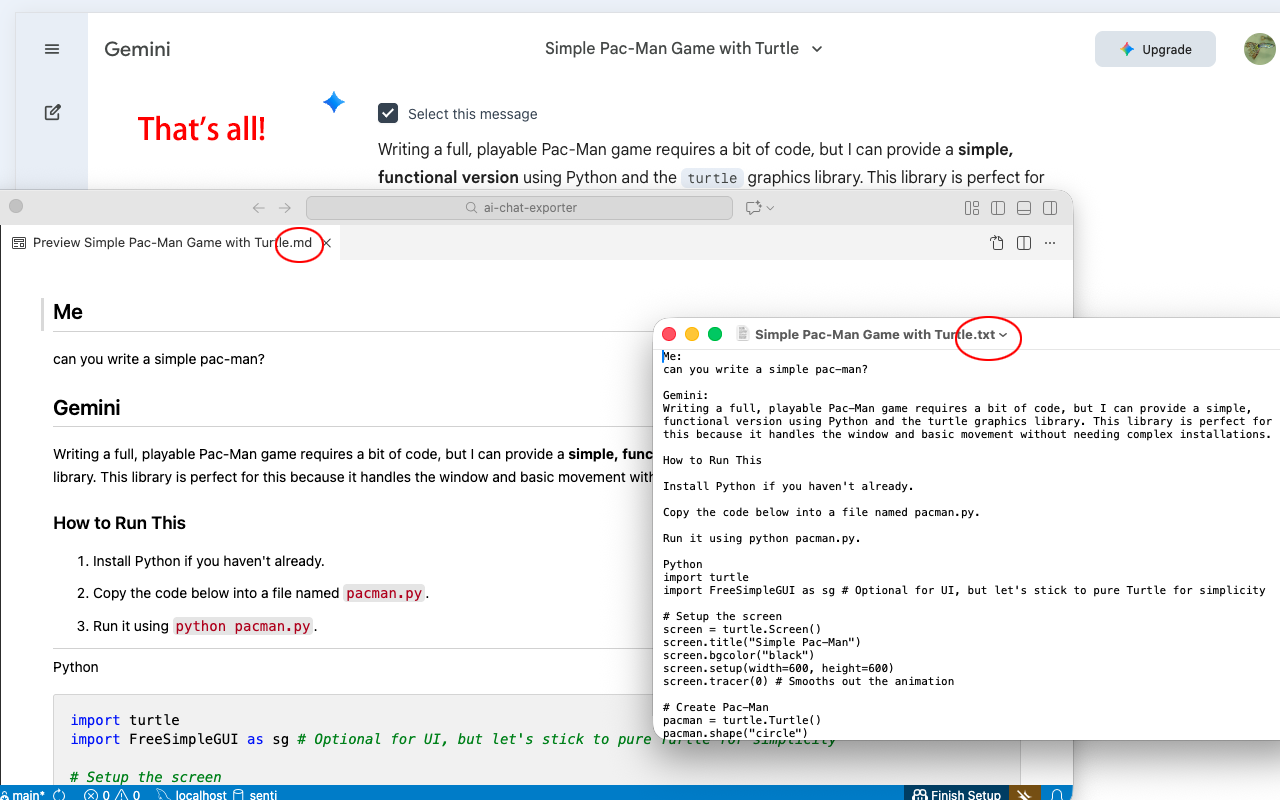
Perfect conversion of code blocks (with language tags), bold text, lists, and tables. Includes clear separators (---) for readability.
Everything happens locally in your browser. We never collect or upload your chat history.
Interface available in English, 中文, 日本語, 한국어, Deutsch, Français, and Español.
Download AI-generated images as a complete offline package. The best way to preserve your visual creativity forever.
One-click to generate a high-quality long image of the conversation. Optimized for sharing on social media.
Open any chat on ChatGPT, Claude, or Gemini.
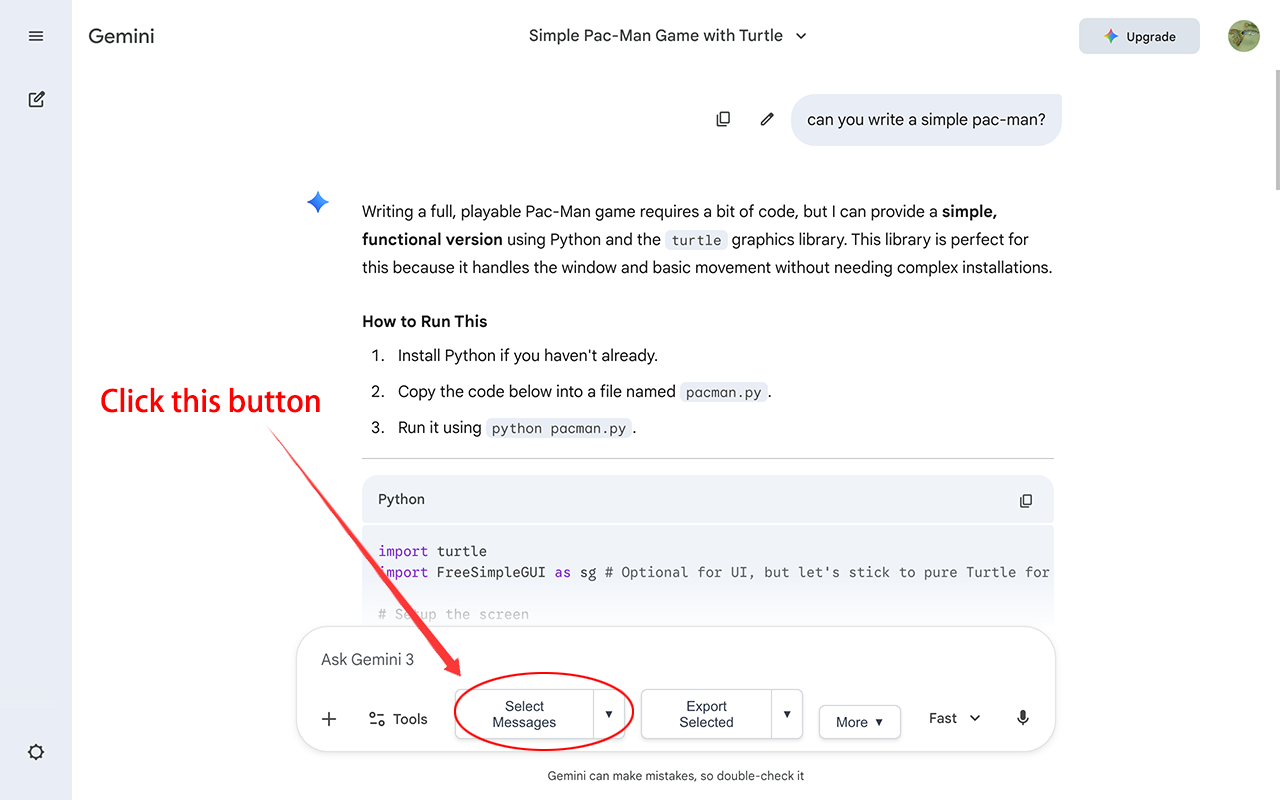
Click the extension icon or the "Select" button on the page.
Choose the messages you want to export.
Use "Smart Copy" to paste into Notion/Word, or click "Export" to download files instantly.
New features:
✨ EXPORT IMAGE ARCHIVE: Download AI-generated images as a complete offline package.
✨ EXPORT LONG SCREENSHOT: One-click to generate a high-quality long image of the conversation, optimized for social sharing.
We've made organizing your exports even easier with our latest update:
✨ SMART TOPIC DETECTION: Automatically uses the chat conversation title as the default filename, saving you from renaming files manually.
✨ CUSTOM FILENAMES: A new prompt allows you to review and modify the filename before downloading, ensuring your files are named exactly how you want.
Introducing "Smart Copy" for optimized clipboard content (Markdown & Rich Text) to seamlessly move chats between apps.
Added full compatibility for ChatGPT (chatgpt.com) and Claude (claude.ai) with zero formatting loss and preserving code blocks.
Added visual indicators to remember exported messages.
Initial release with Gemini support.
This extension is open source and the code is available on GitHub. Contributions are welcome!
View Source Code on GitHub